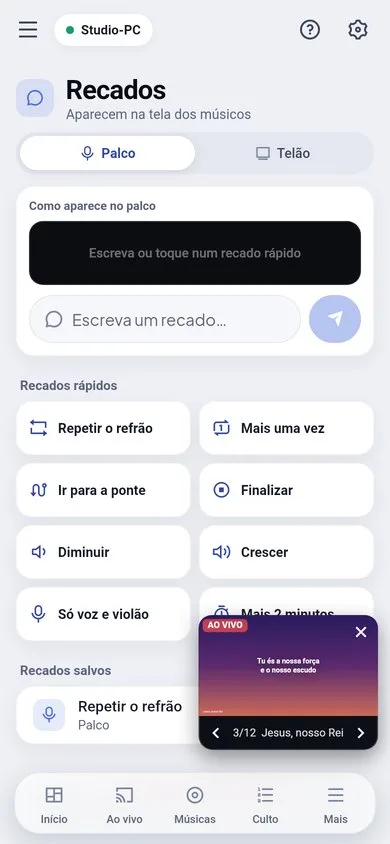
Messages for the musicians (stage)
- On the PC: the "Musicians" button on the projection panel.
- On the phone: the Messages screen.
- Ready-made messages: "Repeat the chorus", "One more time", "Go to the bridge", "Wrap up", "Softer", "Build up", "Just voice and guitar", "2 more minutes" — or free text, with a preview of how it looks on stage.
- The message stays highlighted on the stage screen until someone closes it or sends another one.
On-screen notices (overlays)
Production › Overlays: text over whatever is on screen, like the speaker’s name, a QR code, the church logo or a quick notice.
- A text overlay can have fields filled in on the spot (for example, the name of who is preaching).
- It can disappear by itself after a few seconds.
- From the phone: Messages › On screen (needs the Production permission).