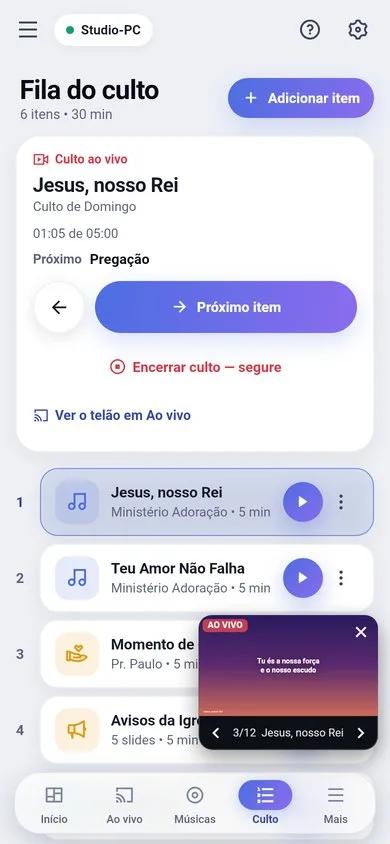
The Service queue (on the Presentation page) is the active service as a list: changing one changes the other.
Adding
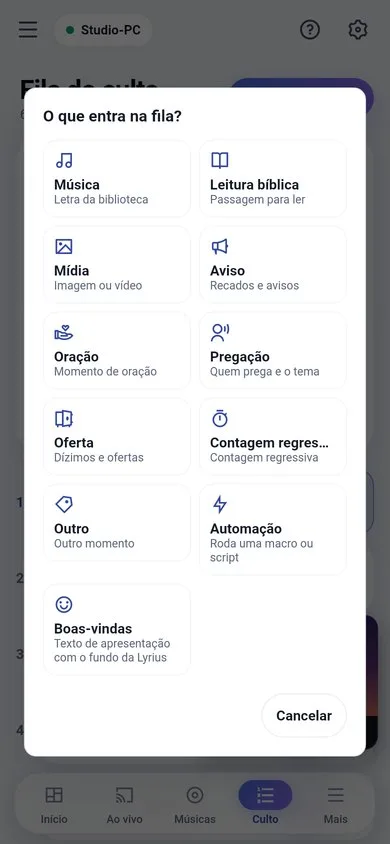
- 1Tap "+".
- 2Pick the type: song, Bible reading, media, announcement, prayer, sermon, offering, countdown, custom or automation.
- 3Fill it in on the item editor and save. It goes into the active service.
Using it
- A single click opens the item (without projecting).
- Double-click or the play button projects: song, verse, media or countdown.
- Edit opens the full item editor.
From the phone
The phone’s queue has the same things: the play button projects (Control permission) and, with the "Edit the service" permission, you can add by type, edit, move up, move down and remove items.
Tip: if two people edit at the same time, Lyrius rejects the second edit and warns, instead of erasing what the other person did.