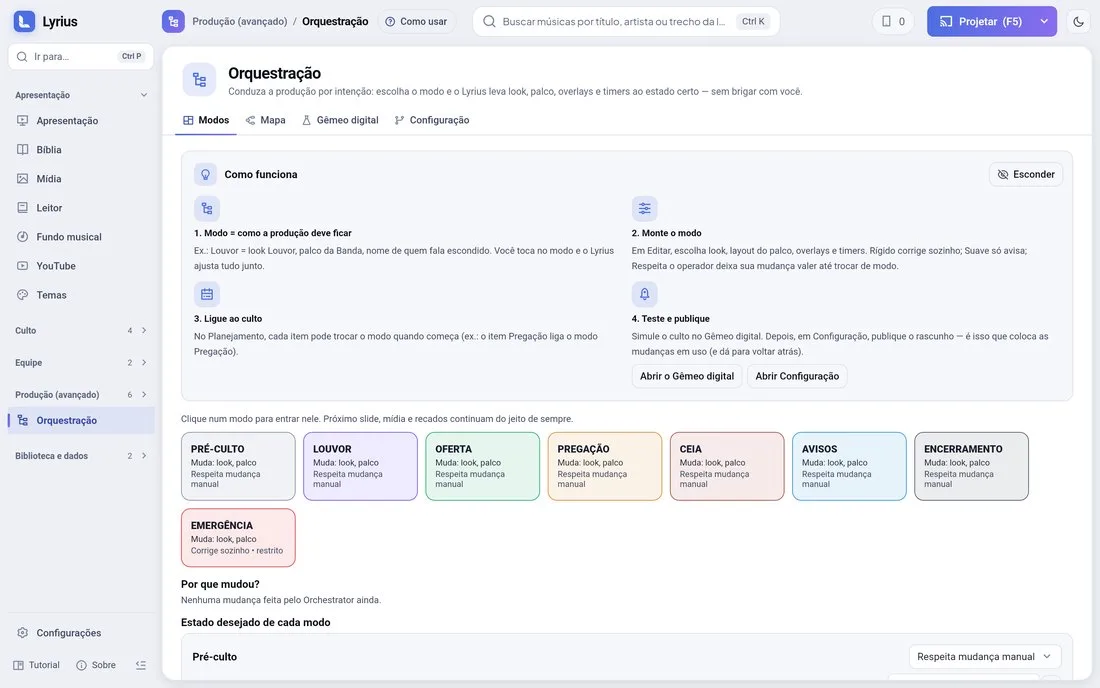
A mode is how the production should look at a moment of the service: Pre-service, Worship, Offering, Sermon, Communion, Announcements, Closing.
How it works (4 steps)
- 1Mode = how everything should look. E.g.: Worship = Worship look, Band stage layout and the speaker’s name hidden.
- 2Build the mode in Edit: look, stage layout, overlays and timers. Strict fixes anything that drifts by itself; Soft only warns; Respect the operator keeps your manual change until the mode switches.
- 3Link it to the service: in Planning, each item can switch the mode when it starts (the Sermon item turns on the Sermon mode).
- 4Test it in the Digital twin (it simulates the whole service, even sped up) and publish in Configuration — publishing is what puts the changes in use, and you can roll back.
Why did it change?
The production map shows the real state of each part, and "Why did it change?" explains which mode or action caused each change.